As an Amazon Associate, we earn from qualifying purchases. Some links on this site are affiliate links at no extra cost to you. Our recommendations are based on thorough research and editorial judgment.


What Is Compression and How Does It Improve Podcast Audio?

Compression in podcasting helps balance loud and quiet sounds, making audio clearer and more enjoyable. It works by reducing the dynamic range, which means both the soft whispers and loud bursts are easier to hear for your listeners. Think of it like a volume equalizer! Essential settings, like attack time and threshold, matter, ensuring natural sound. If you stick around, you might discover some great tips on tools and techniques for perfecting your compression skills.
Key Takeaways
- Compression balances the dynamic range in audio, making both loud and quiet sounds more audible for an improved listening experience.
- It enhances clarity by lowering excessively loud sounds while boosting softer ones, minimizing background noise distractions.
- Proper compression settings, like threshold and attack time, maintain natural sound dynamics crucial for engaging audio presentations.
- Utilizing tools like Buzzsprout’s “Magic Mastering” simplifies the mastering process, enabling podcasters to produce high-quality audio efficiently.
- Effective compression reduces listener fatigue from fluctuating volume levels, allowing for a more enjoyable and polished podcast experience.
Understanding Audio Compression
Most podcasters will agree: audio quality can make or break a listener’s experience. Understanding audio compression is vital for achieving that quality. Fundamentally, audio compression reduces the dynamic range of sounds, meaning it lowers the loud parts and boosts quiet parts. The key setting here is the threshold, which decides when the compressor kicks in. A well-set compressor can make a podcast’s overall volume more balanced, ensuring all listeners can hear quiet segments without straining. Attack and release settings control how fast the compressor responds, keeping audio clear and distortion-free. This fine-tuning helps maintain quality, even at high volume levels, making it an important step in podcast production—because nobody wants to miss that juicy gossip! For optimal sound control, consider installing acoustic foam panels in your recording space to minimize unwanted echo and enhance audio clarity.
The Role of Compression in Podcast Production

In the world of podcast production, clarity reigns supreme. Compression plays a critical role in this process, helping to balance the dynamic range of audio. It makes quieter sections audible, enhancing overall clarity for a listener’s understanding. By leveling out those pesky audio levels, it guarantees a consistent sound across episodes, which can increase audience engagement. Who wants to miss important parts because they can’t hear? Proper compression reduces listener fatigue caused by fluctuating dynamics, keeping interest alive throughout those longer episodes. Plus, when done right, it elevates sound quality, giving podcasts that polished edge they need to stand out. Tools like Buzzsprout’s “Magic Mastering” make this easier, too—so you can sound better without losing your mind! Modern interfaces like the RDECaster Pro II feature built-in processing tools including EQ and noise gates to enhance your compression workflow.
Key Benefits of Using Compression

A few key benefits of using compression transform audio quality from mediocre to magnificent. Compression balances the dynamic range in recordings, making both loud and quiet parts audible. This enhancement is vital for clarity, especially when background noise tries to sneak in. The right compression settings complement cardioid pickup patterns to effectively minimize unwanted ambient sounds during podcast recording.
How Compression Works

Understanding how compression works opens up a world of possibilities for audio quality. Compression reduces the volume of audio that exceeds a set threshold, balancing louder and quieter sounds effortlessly. Key parameters, like the threshold and ratio, dictate how and when compression kicks in. The attack and release settings are vital. A longer attack time of over 50 ms lets brief sounds through without distortion, while release times of 80-150 ms keep the sound natural. You can even watch gain reduction meters to see how much volume is being cut during this process—pretty neat, right? When a compressor is set correctly, it can really transform your podcast, making it more polished and professional (let’s face it, who doesn’t want that?). To further enhance your audio quality, consider adding sound absorption panels to your recording space for superior noise cancellation and echo reduction.
Important Compression Settings to Know
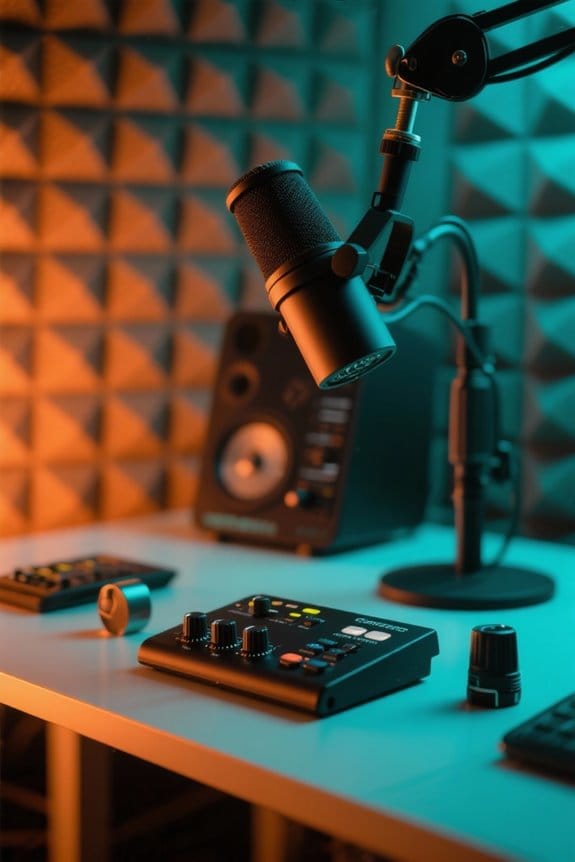
Compression isn’t just about making sounds louder or softer; it’s a fine-tuning process that can make your podcast shine like a diamond in a sea of audio. When setting compression, start with the threshold. This setting dictates when the compressor kicks in, keeping quieter sounds uncompressed. Next, consider the compression ratio; a 4:1 ratio means for every 4 dB over the threshold, the output increases by just 1 dB. Attack time controls how swiftly the compressor responds, while release time guarantees a natural audio fade after the signal drops. Don’t forget makeup gain! This boosts overall volume, leveling out any loss from compression. With these settings, your podcast may just sound as polished as a Hollywood blockbuster—kind of! Using balanced audio cables in your setup helps eliminate unwanted interference and noise that could compromise your carefully crafted compression settings.
Recommended Products

Dual-Channel Precision – Full Control Over Every Sound Source: Equipped with advanced Overeasy compression and Auto attack/release settings, this dual-channel compressor offers smooth, natural dynamics control for vocals, guitars, drums, and more. Ideal for recording, live streaming, or on-stage use.

USB/XLR Connectivity: The A04 Gen2 is a super versatile condenser microphone for capturing rich. Thanks to its dual XLR & USB connections, it's just at home in the studio as it is plugged straight into audio interface or mixer. And connected to PC or phone for plug-and-play recording. If you want to connect Windows, iOS, PAD, phone by XLR mode, please make sure you have phantom power ready (Note: Not compatible with XBOX)

Dual-Channel Dynamics Control: Designed for versatile audio applications, this dual-channel compressor delivers smooth and consistent level management for vocals, guitars, drums, and other sound sources. The built-in Overeasy compression ensures a more natural transition into gain reduction, while adjustable attack and release settings allow precise shaping of dynamic behavior. Ideal for studio recording, live sound, streaming, and stage performance environments.
The Compression Process: Step-by-Step
Creating a polished sound for a podcast can feel a bit like tuning a fine instrument. First, set the threshold—this determines when the compression process kicks in. If the audio exceeds this level, compression reduces the loud sounds. Next, adjust the ratio, typically between 2:1 and 4:1, defining how much those louder sounds will be squashed. Don’t forget about attack and release times! The attack time decides how fast the compression applies, while the release time controls how quickly it lets go once the audio dips below the threshold. Finally, you may need makeup gain to boost the overall volume. Think of it as putting the cherry on top—sweetening the sound for an enjoyable listening experience! Modern software like SOUND FORGE Studio offers comprehensive tools for mastering these compression settings with precision and ease.
Recommended Products
![MixPad Free Multitrack Recording Studio and Music Mixing Software [Download]](https://m.media-amazon.com/images/I/71ltIxIuz1L._SL500_.jpg)
Create a mix using audio, music and voice tracks and recordings.

HYBRID CONNECTIVITY: Dual USB ports with MFi-certified connectivity connect your computer and phone or iPad simultaneously. Record in GarageBand or Logic Pro, then stream or upload guitar & vocal covers directly from your mobile device. No workflow interruptions. The MAONO P2 USB-C audio interface instantly records to Mac, PC, iPhone, Android, or cameras. Perfect for creators and streamers who need total workflow freedom to record anywhere, anytime

Premium ultra-low noise, high headroom analog mixer
Common Pitfalls to Avoid When Compressing Audio
One key aspect of producing great podcast audio is avoiding common pitfalls that can sabotage an otherwise stellar recording. Over-compression is a frequent misstep; it can squash sound, robbing the audio of its natural dynamics. Trust us, your listeners will notice! Setting the threshold too low can unintentionally amplify background noise, leading to poor audio quality. Equally, skipping comparisons between compressed and uncompressed versions can prevent essential adjustments, stealing away the chance for improvement. Don’t forget about attack and release settings—neglecting these can induce an unnatural sound, causing annoying pumping or distortion. With careful audio editing, avoiding these pitfalls will guarantee your podcast sounds crisp, engaging, and professional without pushing your listeners to the edge of fatigue. Using an interface with zero-latency monitoring capabilities helps you catch compression issues in real-time before they become permanent problems in your recording.
Recommended Products

Desktop 4-in / 4-out USB audio interface with 2 preamps and class-leading 24-bit / 192 kHz audio conversion

Professional Podcast Equipment Bundle - The Podcast Equipment Bundle is equipped with BM-800 microphone, Mic adjustable suspension scissor arm stand, Shock mount, Pop filter, Anti-wind foam Cap, Power cable, Live sound card. This professional recording studio package was designed for podcasting, streaming and recording music and short video. What you get is a complete set of professional podcast equipment bundle.
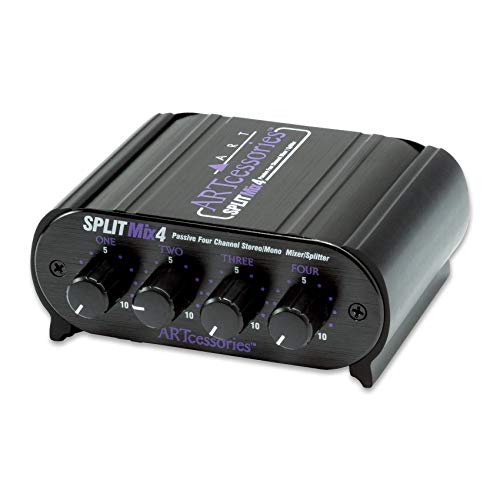
Four Channel Passive Splitter/Mixer
Expert Tips for Effective Compression
Achieving a polished podcast audio experience can feel intimidating, but it doesn’t have to be! Start with a compression ratio of 2:1 or 3:1. This keeps your audio’s natural dynamics while evening out volume levels. Set the threshold carefully; aim for just the right balance—too high and quiet sounds vanish, too low and you risk over-compression. Attack times between 50-100 milliseconds help preserve transients without distortion, while release times of 80-150 milliseconds guarantee a decent sound decay. Regularly check your gain reduction meter to prevent squashing that rich sound. Ultimately, try soft knee compression for vocals—this smooth approach can make loud parts blend seamlessly. Who knew audio could be so fun and rewarding, right? For optimal recording clarity, consider using a lavalier microphone with noise reduction technology that can minimize background interference up to -30dB.
The Impact of Compression on Listener Experience
How does compression transform the way listeners experience podcast audio? Compression works magic by balancing dynamic range. Quiet segments become audible, enhancing clarity for every listener. With consistent audio levels, it reduces listener fatigue from noisy fluctuations that can drive anyone nuts. You know the feeling when you’re always fiddling with the volume? Yeah, not fun! Effective compression also minimizes background noise distractions, letting audiences focus without straining to catch every word. This polished audio experience helps podcasts stand out in a crowded market, improving overall quality. And here’s the kicker—properly compressed audio greatly boosts audience retention, making each episode more enjoyable and engaging. Similar to how high-speed transfers enhance media workflow efficiency in USB-C card readers, compression optimizes audio delivery for a smoother listening experience. So, embrace compression; your listeners (and their eardrums) will thank you!
Enhancing Podcast Audio Quality With Compression
Listeners appreciate a polished audio experience in podcasts, and compression is the key to achieving that sleek sound. By using compression effectively, creators can even out the dynamic range, which means softer sounds are boosted while louder segments are tamed. This balance enhances audio quality, making it easier for listeners to stay engaged. Consistent application of compression across episodes helps maintain a professional sound that keeps audiences coming back for more. Plus, it reduces listener fatigue; no one wants to be jolted awake by sudden volume shifts! Many affordable microphones like the MAONO offer a signal-to-noise ratio above 70 dB, which helps minimize background interference when applying compression. In today’s crowded podcast market, effective audio compression techniques can elevate a show’s overall sound quality, ensuring it stands out while providing a comfortable, enjoyable listening experience.
Best Practices for Audio Compression in Podcasting
Effective audio compression in podcasting can make all the difference. First, choose a reliable audio editor like Audacity or Adobe Audition to apply compression effectively. Start with a low compression ratio and moderate threshold settings; this helps keep your audio recording’s natural dynamics intact. Don’t forget to monitor those audio levels! Gain reduction meters are your best friend here, helping you avoid the dreaded squashed sound. When it comes to attack and release settings, aim for attack times above 50 ms and release times between 80-150 ms to guarantee a smooth sound. If you’re feeling overwhelmed, consider automated features like Buzzsprout’s “Magic Mastering” – it simplifies the process while keeping your audio quality consistent. Happy compressing!
Recommended Products

Product 1: Capture close-miked vocals and instruments with a classic dynamic cardioid mic

Capture close-miked vocals and instruments with a classic dynamic cardioid mic

Round-table ready: record up to four microphones at once with Discrete, studio-grade preamps and up to +75 dB of clean gain for clear voices and plenty of headroom.
Tools and Software for Audio Compression
Finding the right tools and software for audio compression is essential for recording a high-quality podcast. Popular options include free audio editing software like Audacity and paid ones like Adobe Audition, which offer controls to manage audio dynamics. Many digital audio workstations (DAWs) come with built-in compression tools, making it easy to streamline your workflow. For beginners, user-friendly tools like GarageBand provide automatic presets that simplify compression effectively. Automated podcast production software, like Resound, manages compression and mixing, lowering the technical barrier for novices. Services such as Buzzsprout’s “Magic Mastering” automate audio compression and enhancements, so creators can focus more on content and less on sound tech. Who said podcasting can’t be fun and simple?
Frequently Asked Questions
Should You Compress Podcast Audio?
Compressing podcast audio is advisable for managing audio dynamics and ensuring consistent sound levels. This production technique enhances podcast quality, improves listener experience, and helps maintain audience engagement by delivering clearer, more balanced content.
How to Make Podcast Audio Sound Better?
To enhance podcast audio, apply sound leveling techniques and voice modulation while carefully balancing audio dynamics. Prioritize podcast clarity to enrich the listener experience, ensuring consistent quality that captivates and retains audience attention.
Does Compressing Audio Make It Sound Better?
Compressing audio generally enhances audio quality by managing dynamic range, thereby improving sound clarity and optimizing listener experience. Effective mixing techniques guarantee balanced levels, while inappropriate compression can compromise the overall integrity of the audio.
What Does Compression Do for Audio?
Compression reduces the dynamic range of audio, balancing audio levels to enhance sound quality. This process improves vocal clarity, ensuring listeners experience a consistent, fatigue-free sound, ultimately delivering a more enjoyable listening experience throughout the podcast.