As an Amazon Associate, we earn from qualifying purchases. Some links on this site are affiliate links at no extra cost to you. Our recommendations are based on thorough research and editorial judgment.

How to Edit Multi-Track Podcast Recordings Efficiently

Editing multi-track podcast recordings can seem tricky, but it’s not rocket science! Start by using quality microphones to capture crystal-clear audio. Keep that mic 6 to 12 inches away for the best sound. Using a digital audio workstation, or DAW, helps you navigate tracks and edit smoothly. Don’t forget to label files clearly, or you might find yourself in a chaotic audio jungle! Stick around, and you’ll uncover even more tips and tricks to level up your editing game.
Key Takeaways
- Start with organizing your audio files using clear naming conventions to streamline the editing process and reduce confusion.
- Utilize a DAW for navigating and editing multiple tracks efficiently, focusing on simple edits first.
- Implement ripple editing to maintain synchronization across tracks as you make adjustments, saving time during the process.
- Employ noise reduction tools and EQ adjustments to enhance audio clarity without over-processing the final sound.
- Regularly back up your projects and maintain an organized file structure to prevent data loss and facilitate smoother editing sessions.
Understanding Multi-Track Audio
Understanding multi-track audio is, quite often, the secret sauce behind polished podcast episodes. This method captures each participant on separate tracks, making the editing process smoother and more effective. By isolating audio from different speakers, editors can easily tackle volume discrepancies and achieve superior audio quality. It’s like magic—background noise reduction becomes a breeze! Podcast platforms, such as Zoom and Riverside, allow for these separate tracks, helping podcasters achieve that professional sound. During the editing process, adjustments to audio levels can turn a chaotic conversation into a harmonious discussion. Plus, you’ll avoid those awkward moments of crosstalk. Similar to how battery storage organizers help maintain order and efficiency in battery management, multi-track recording keeps your audio files neatly separated and easily accessible. So, if you want your podcast to shine, mastering multi-track audio is essential—no pressure!
Best Practices for Recording

Recording high-quality podcast episodes isn’t just about hitting the record button; it’s an art that requires some thoughtful best practices. First, invest in high-quality microphones for each participant to guarantee crisp sound. A quiet environment is crucial, as minimizing background noise maximizes audio clarity. Each person should maintain a consistent distance from their microphone—think about 6 to 12 inches away—to optimize their individual tracks. Using the double-ender recording method helps capture each participant locally, avoiding those pesky compression issues. Consider using microphones with cardioid polar patterns to focus on capturing voices while rejecting unwanted ambient sounds. Organize your files with clear naming conventions and a coherent folder structure. This little detail can save hours in post-production. Remember, a good recording now can lead to a fantastic episode later—no pressure!
Recommended Products

[Natural Audio Clarity] Operated with frequency response of 50Hz-16KHz, the podcasting XLR mic delivers balanced audio range, likely to resonate with your audience. Directional cardioid dynamic microphone corded will not exaggerate your voice, while rejects unwanted off-axis noise for vocal originality and intelligibility during your PS5 gaming streaming video recording. (Tips: Keep the top of end-addressing XLR dynamic microphone AM8 facing audio source, and suggested recording range is 2 to 6 in.)

As the perfect mic pop filter, wind screen foam cover compatible with Fifine USB-powered podcast audio microphone for streaming broadcast and social media videos.

Custom three-capsule array: This professional USB mic produces clear, powerful, broadcast-quality sound for YouTube videos, Twitch game streaming, podcasting, Zoom meetings, music recording and more
Key Editing Techniques

After setting the stage with a quality recording, the real magic happens during editing. Effective audio editing in the podcast editing process hinges on solid techniques. Utilizing a DAW, editors can navigate audio tracks efficiently, employing both timeline and text-based methods for quicker cuts. It’s wise to prioritize simple edits first to keep your workflow smooth. Don’t forget that ripple editing can be a lifesaver for syncing audio across multiple tracks. Also, make good use of clean-up tools, like noise reduction plugins and EQ adjustments, to enhance clarity while minimizing background noise. Finally, regularly backing up your project and organizing audio files with clear names can save lots of headaches later—trust me, it’s a lifesaver. Having a stable mic stand during recording will significantly reduce unwanted noise and movement that requires extensive cleanup in post-production.
Recommended Products
![WavePad Audio Editing Software - Professional Audio and Music Editor for Anyone [Download]](https://m.media-amazon.com/images/I/B1fcLEGCs6S._SL500_.png)
Full-featured professional audio and music editor that lets you record and edit music, voice and other audio recordings

Existing subscribers must first complete current membership term before linking new subscription term
![MixPad Free Multitrack Recording Studio and Music Mixing Software [Download]](https://m.media-amazon.com/images/I/71ltIxIuz1L._SL500_.jpg)
Create a mix using audio, music and voice tracks and recordings.
Recommended Software and Tools
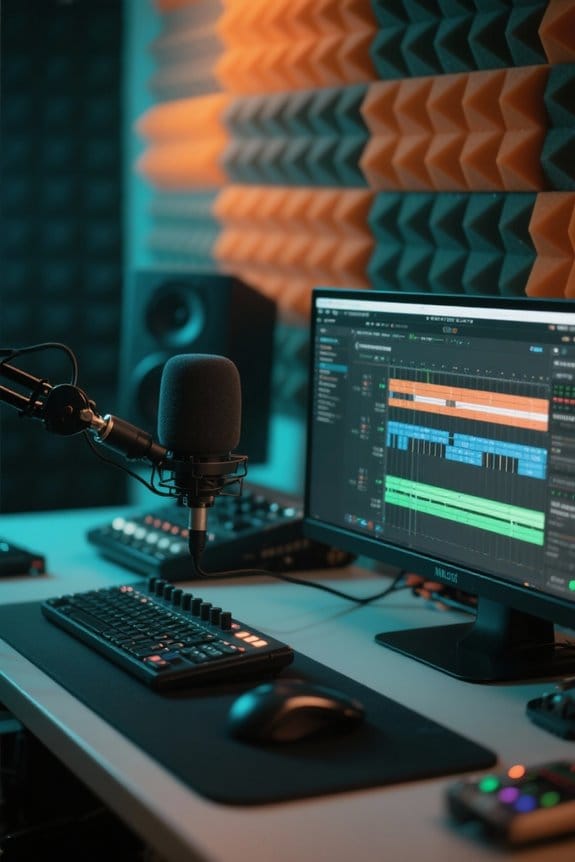
Choosing the right podcast editing software can feel like searching for a needle in a haystack, given the number of options available today. Ferrite is highly recommended for its user-friendly interface and strong multi-track capabilities, allowing for smooth management of audio files. Descript offers unique cloud-based editing, integrating transcription features to help remove filler words faster. On a budget? Audacity packs powerful noise reduction and multi-track editing without a price tag—though it might not win any beauty contests. For those wanting professional-grade tools, Adobe Audition is an industry favorite despite its learning curve and subscription cost. Finally, Riverside shines for remote recording, enabling clear audio quality while ensuring seamless multi-track exports for later editing. Equipment like the TASCAM Mixcast 4 provides built-in editing tools and the ability to record up to 14 tracks directly to an SD card for enhanced workflow flexibility. Happy editing!
Recommended Products
![MixPad Multitrack Recording Software for Sound Mixing and Music Production Free [Mac Download]](https://m.media-amazon.com/images/I/51kaO82jYOL._SL500_.jpg)
Mix an audio, music and voice tracks

4 high quality microphone inputs with phantom power

Comprehensive Set – This Zoom P4 podcast recorder bundle includes SonicSound accessories - 64GB MicroSDXC Memory Card, 4AA Rechargeable Batteries And Charger, 4x Headphone Hanger, 4x Zoom DM1-PMP Podcast Mic Pack with Headphones, Windscreen, XLR, and Tabletop Stand, Microfiber Cleaning Cloth, 4x Podcasting Set Pop Filter Boom Arm & Mic Clip
Common Mistakes to Avoid

Editing podcasts can be a rewarding yet tricky process. One major mistake is failing to maintain consistent audio levels. Always use normalization tools to balance volume across tracks, preventing jarring shifts. Another pitfall is the risks of over-processing. Avoid excessive noise reduction; subtle tweaks keep the original sound intact. Organization is key too—improperly labeled files can complicate the editing process and slow you down. Don’t forget about video sync! A clap or reference point aids in aligning tracks accurately. Rushing through without a structured workflow can mean missed chances to enhance narrative flow. A handy checklist can keep you on track and improve efficiency. Trust me, a little planning goes a long way! Using a microphone with zero-latency monitoring capabilities helps catch audio issues during recording, reducing editing time later.
Recommended Products

Pro performance with great pre-amps - Achieve a brighter recording thanks to the high performing mic pre-amps of the Scarlett 3rd Gen. A switchable Air mode will add extra clarity to your acoustic instruments when recording with your Solo 3rd Gen

Podcast, Record, Live Stream, This Portable Audio Interface Covers it All - USB sound card for Mac or PC delivers 48kHz audio resolution for pristine recording every time

Podcast, Record, Live Stream, This Portable Audio Interface Covers it All - USB sound card for Mac or PC delivers 48kHz audio resolution for pristine recording every time
Frequently Asked Questions
How to Quickly Edit Podcasts?
For quick podcast editing, utilize software recommendations with editing shortcuts, implement workflow optimization techniques, and apply audio enhancement techniques. Prioritizing multi-track organization and collaboration tools improves sound quality and streamlines time management strategies.
How to Edit Multitrack Audio?
Editing multi-track audio resembles orchestrating a symphony; effective track alignment, volume balancing, and noise reduction create harmony. Utilizing podcast software with smart editing tips enhances workflow optimization, while integrating sound effects and music elevates the listening experience.
How Long Should It Take to Edit a 1 Hour Podcast?
Podcast editing time typically ranges from 2 to 10 hours per hour of content, influenced by editing techniques and strategies. Effective time management, advanced editing software, and workflow optimization enhance audio quality and listener engagement.
Can Chatgpt Edit a Podcast?
ChatGPT cannot edit a podcast directly, akin to a painter guiding brush strokes without holding the brush. However, it offers insights on AI editing, noise reduction, and streamlined workflows to enhance audio clarity and voice modulation.