As an Amazon Associate, we earn from qualifying purchases. Some links on this site are affiliate links at no extra cost to you. Our recommendations are based on thorough research and editorial judgment.


Setting Up a Two-Person Podcast Recording System

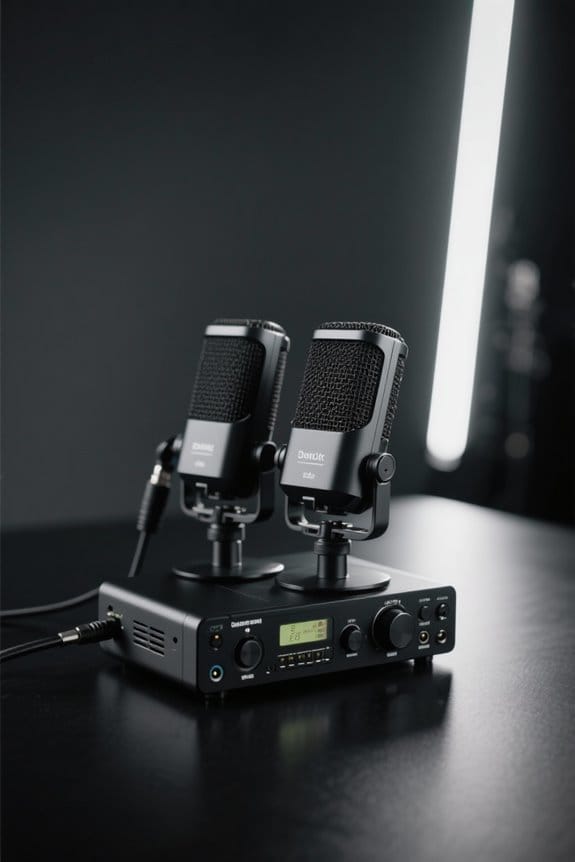
Setting up a two-person podcast recording system is all about striking the right balance. Start with two excellent microphones, like the Blue Yeti, which are around $100 each. Position them about 6-12 inches from each host to capture clear sound. Don’t forget headphones for sound isolation—Sony MDR-7506 is a solid choice. Monitor your audio levels during recording to avoid distortion. With these basics covered, you’re well on your way to creating an engaging show that listeners will love! There’s even more useful info ahead!
Key Takeaways
- Purchase two Blue Yeti microphones for easy USB connectivity and excellent audio quality, positioning them equidistantly from each speaker.
- Use Sony MDR-7506 headphones for effective sound isolation and monitoring during recordings to ensure optimal audio clarity.
- Create a soundproof environment with soft materials like rugs and curtains, and consider acoustic panels to reduce echo and background noise.
- Utilize recording software like Riverside.fm to capture high-quality separate tracks for each host, allowing for better post-production editing.
- Conduct sound checks to balance microphone levels, aiming for audio peaks between -12dB and -6dB to avoid distortion during recording.
Understanding the Basics of Podcasting
When it comes to podcasting, understanding the basics is essential for anyone looking to immerse themselves in this engaging medium. A successful podcast hinges on high-quality audio, which means investing in the right recording equipment. For a setup for two people, consider microphones that capture clear sound without picking up background noise. Remote recording tools can be lifesavers, particularly when hosts are in different locations. The goal? Achieving studio-quality sound that keeps listeners coming back. Engaging content paired with solid audio quality can strengthen brand visibility and foster loyalty on platforms like Apple Podcasts or Spotify. So, whether it’s interviews with industry leaders or casual banter between two hosts, mastering these basics is key to effective podcast production. The cardioid pickup pattern helps minimize unwanted ambient noise while focusing on capturing clear voice audio directly in front of the microphone.
Budget Considerations for a Two-Person Setup

Setting up a two-person podcast can be a fun challenge, especially when sticking to a budget. A solid setup starts with two Blue Yeti microphones priced at about $100 each. These mics come with stands, saving you extra costs. For quality sound monitoring, pair them with Sony MDR-7506 headphones, also under $100, which isolate noise nicely. Utilize free recording software like Riverside.fm for separate audio tracks, ensuring your editing is smooth and professional. If you want to keep things simple, USB microphones are user-friendly and don’t need extra gear like audio interfaces. However, a budget-friendly option, like the Focusrite Scarlett Solo, can elevate sound quality later if you opt for XLR microphones. Happy recording! Consider a noise-canceling chipset microphone for pristine audio quality, especially when recording in untreated environments or noisy settings.
Recommended Products

COMPLETE 4-PERSON PODCAST STUDIO KIT: Includes Rode RODECaster Pro 2 podcast mixer, 4x Rode PodMic broadcast microphones, 4x PSA1+ professional boom arms, 4x StreamEye Cans50 over-ear headphones, 4x XLR cables, and 32GB SD card. Everything needed to record, stream, or broadcast with up to 4 participants right out of the box.

Fully integrated audio production studio for streamers, podcasters, musicians and content creators

TABLETOP 4-HOST PODCAST STUDIO IN ONE BOX — CONSOLE, FOUR MICS, FOUR TRIPODS, FOUR HEADPHONES: Recording four hosts around a single table needs more than a console alone — you need matching mics for every host, a way to position each mic at speaking distance, closed-back monitoring per host, and the cables to wire it. This bundle pairs the Rode RODECaster Pro II 9-channel console with 4 Zoom ZDM-1 Podcast Mic Packs. Multi-host podcasters, panel-show producers, travel podcast crews, and broadcast roundtable hosts — set up the table, plug in, and start recording today.
Essential Equipment Recommendations
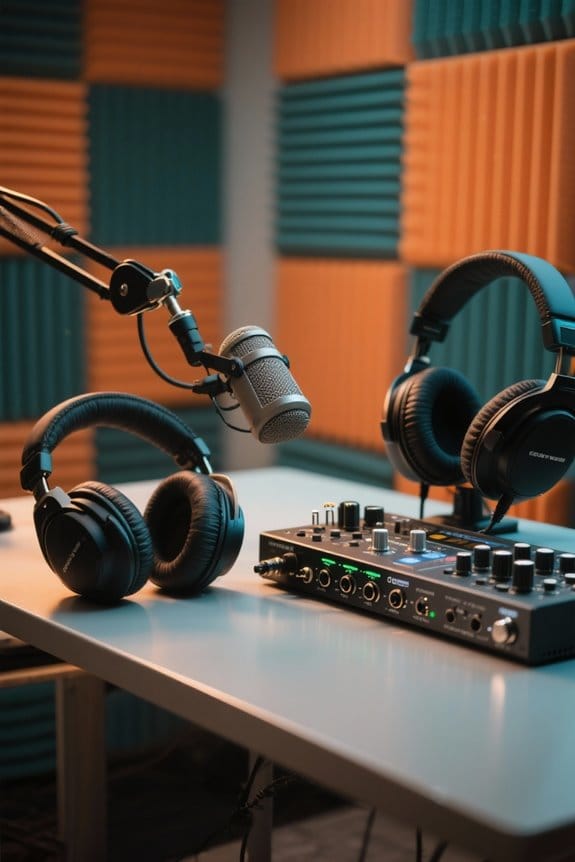
To create a successful two-person podcast, having the right equipment makes all the difference, especially when budget-friendly solutions are readily available. The dual Blue Yeti microphones, priced around $100 each, offer easy USB plug-and-play operation, making set-up a breeze. Pair them with an audio interface like the Focusrite Scarlett Solo for crisp, professional sound. For monitoring, closed-back headphones such as the Sony MDR-7506 are perfect; they block background noise, allowing hosts to focus on their conversation. Plus, use remote recording platforms like Riverside.fm to capture separate tracks, ensuring high-quality audio for each participant. Remember, a little attention to equipment can turn your podcast from “meh” to “wow,” without breaking the bank! With the Focusrite Scarlett Solo’s 24-bit/192kHz converters, you’ll achieve pristine studio-quality sound that rivals professional broadcasting setups.
Recommended Products

Three distinct tube microphones at the flip of a switch. FORWARD is bold, present and modern, but never harsh. NEUTRAL is smooth and earthy with a natural balancing of sibilant sounds. GENTLE is dark and sultry with a warm vintage feel, ideal for taming bright or abrasive sound sources.

For Recording Studios and Touring

Class-leading AD-converter resolution with a dynamic range of 136 dB
Microphone Placement Techniques

Microphone placement is essential for capturing great audio in a two-person podcast. To achieve balanced audio levels, position the microphones equidistantly between both hosts. Using cardioid mode helps isolate voices, minimizing pesky background noise. Ideally, place the mics about 6-12 inches away from each speaker’s mouth for maximum sound clarity, while also reducing plosive sounds. Don’t forget about mic stands! They keep the microphones stable and appropriately positioned, allowing hosts to move freely—no awkward mic holding necessary. Consider a 360-degree rotation microphone arm for optimal positioning flexibility during your recording sessions. Encouraging a consistent distance from the microphones throughout the recording guarantees there aren’t fluctuations in audio levels. Remember, when it comes to mic placement, a little attention goes a long way in producing a professional-sounding podcast. Happy recording!
Recommended Products

Large-diaphragm FET Condenser Microphone with Cardioid Interchangeable Capsule

Sound profile optimized for vocal performance

Large-diaphragm Cardioid Microphone with Aluminum Carrying Case
Importance of Headphones for Each Host
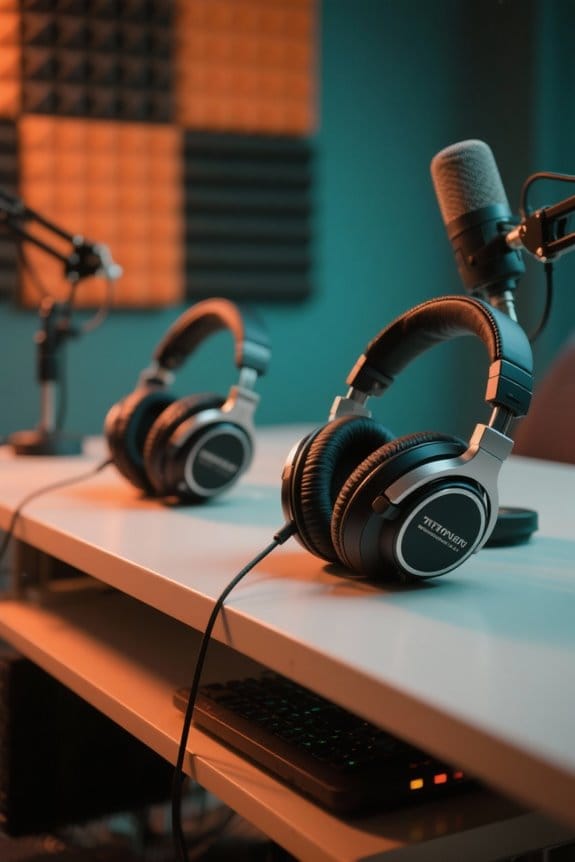
Headphones play a critical role in podcasting, especially for each host. A good pair of closed-back headphones, like the Sony MDR-7506, is essential for blocking out distractions and ensuring exceptional sound quality. This helps each host clearly hear conversations without interference from their own microphones. During the recording session, headphones allow hosts to monitor the audio, catching issues like distortion or overlapping speech. For maximum comfort during long recording sessions, look for headphones with soft velour pads like those found on the Beyerdynamic DT 990 Pro.
Recommended Products

Create professional-quality podcasts and streaming content with ease thanks to the Adaptive 10.1" touchscreen controls with three modes (Easy, Enhanced, Pro)

Optimized closed-back design with 53mm transducers for greatest-in-class headroom and dynamic range

BUNDLE COMPONENTS: Rodecaster Pro II and SM7B Cardioid Dynamic Microphone, Headphones, 10' XLR Cable, 128GB SD Card, Boom Arm, and Dust Cover
Recording Software Options for Two Hosts
When diving into the world of podcasting, choosing the right recording software can feel a bit like picking the perfect avocado—there are so many options, and you want to avoid the rotten ones! For two-person podcasts, Riverside.fm and Zencastr stand out, providing separate audio tracks for each host, which simplifies editing. If you want a more straightforward approach, Podcastle automatically adjusts audio levels and reduces background noise for a high-quality podcast. Advanced users might consider Adobe Audition or Logic Pro X for their powerful editing capabilities. For budget-conscious podcasters, free options like Audacity and user-friendly GarageBand on Mac are fantastic for local recording with multiple microphones, letting creativity flow without breaking the bank! Look for software that offers zero-latency monitoring capabilities to ensure real-time feedback during your recording sessions without any audio delays.
Recommended Products

All-in-One 4K Live Studio: Built-in switcher, 4K encoder, recorder, and 8" touchscreen monitor in one device. Go live in minutes — no laptop, capture card, or extra software needed
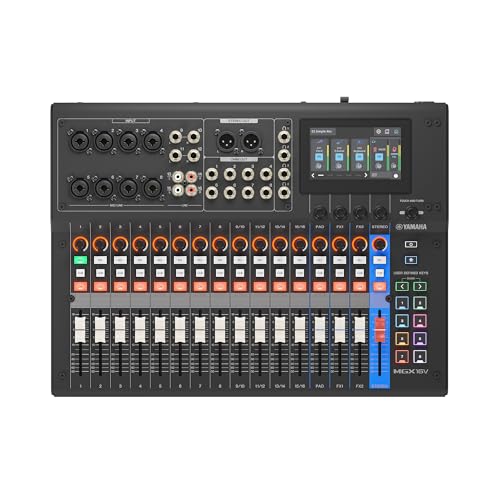
Tactile Faders, 4.3" touchscreen with 5 control knobs.

Fully integrated audio production studio for streamers, podcasters, musicians and content creators
Creating a Soundproof Recording Environment
Creating a high-quality podcast isn’t just about having the right software; it’s also about the environment where those golden conversations happen. A soundproof recording environment is essential for minimizing external noise and ensuring a smooth listening experience. To achieve this, using soft materials like rugs, curtains, and foam panels can absorb sound and reduce reverb. Closing all windows and doors helps keep outside disturbances at bay. Microphones should be positioned close to each speaker’s mouth for balanced sound capture. If you’re in a spice-free room, portable solutions like acoustic blankets or isolation booths work wonders. Before diving in, don’t skip sound checks; they’ll help you spot unwanted echoes or background noise. Your audience will thank you! For optimal sound absorption, select acoustic panels with a Noise Reduction Coefficient above 0.9 to effectively eliminate unwanted echoes and reflections.
Lighting Considerations for Video Podcasts
Lighting matters a lot in video podcasts, and it can’t be overlooked. The best video lighting enhances visibility and gives a professional touch. Using softboxes or ring lights as key lights helps create a soft glow, making the hosts look inviting. A three-point lighting setup, featuring a key light, fill light, and backlight, adds depth, engaging viewers’ attention.
Pay attention to color temperature, too; aiming for around 5600K mimics natural daylight. This makes skin tones look flattering and fresh, like you’ve just had a spa day. Position lights about 45 degrees from the subjects at eye level to avoid those unflattering, shadowy angles that can sneak up on you. With proper lighting, your video quality will shine, literally! Look for lights with a High CRI rating of 97 or above to ensure accurate color representation of skin tones and other elements in your podcast videos.
Best Practices for Monitoring Audio Levels
Monitoring audio levels is essential for maintaining great sound quality in a podcast. To achieve consistent sound levels, use an audio interface with built-in metering during your recording session. Aim for audio levels peaking between -12dB and -6dB to avoid distortion—because nobody wants to hear that ugly clipping. Utilize closed-back headphones to prevent audio bleed; they help you hear yourselves clearer without distractions. Before recording, adjust your microphone gain settings to guarantee ideal volume, keeping you neither too soft nor too loud. Don’t skip soundchecks! Speaking at your expected volume will help you verify that audio levels remain balanced across all microphones. After all, great audio quality is what keeps your listeners coming back for more. Consider adding a tube microphone preamp to your setup for enhanced warmth and richness in your vocal recordings.
Strategies for Engaging Podcast Content
How can podcasters guarantee their content truly engages listeners? First, they need a clear concept that anchors every episode. This clarity allows for focused discussions and smooth shifts. Engaging content often stems from incorporating expert interviews, which introduce diverse perspectives and enhance credibility. Podcasters should also use storytelling techniques; these create emotional connections, making content memorable. Think of it as wrapping facts in a cozy blanket of narratives! Additionally, to keep things lively, short, bite-sized segments can be shared on social media, drawing in a wider audience. Finally, actively seeking listener feedback promotes audience involvement, ensuring discussions resonate with preferences. Remember, an engaged listener is a happy listener; so make your content a party everyone wants to attend! Using frequency analysis tools helps identify and eliminate problematic audio sections that could distract listeners from your message.
Tips for Editing and Producing Your Podcast
Great content deserves great production! To elevate your podcast, start with reliable editing software like Adobe Audition or Audacity. These tools offer fantastic features for adjusting sound quality and reducing background noise. Utilize auto-leveling features to maintain consistent volume, preventing sudden spikes during playback—nobody likes a sneaky audio rollercoaster!
For a smoother podcast flow, employ filler word detection to cut out those “ums” and “ahs.” Silence removal can also help streamline the experience, making your podcast more enjoyable. When it comes to exporting, opt for high-quality formats, like WAV or 256 kbps MP3, so listeners get the best audio. After all, your hard work deserves to shine through every episode, right?
Maximizing Podcast Reach With Repurposed Content
Podcasters face a unique challenge: getting their voice heard amid a sea of content. To maximize reach, many are repurposing content across various platforms. For instance, transforming episodes into short video clips can boost audience engagement, leading to up to 1200% more shares on social media. Creating concise episode summaries can also help, as 68% of consumers prefer reading about content before diving in. Full transcripts enhance SEO considerably too, increasing website traffic by 50%. By utilizing tools like Flowjin, podcasters streamline repurposing efforts, allowing them to convert long recordings into snappy, engaging formats. When done right, these strategies can increase a podcast’s reach by at least 200%, ensuring that every episode makes a bigger splash.
Frequently Asked Questions
How to Record a Podcast With Two People?
To effectively record a podcast with two people, they must focus on podcast planning, equipment selection for audio quality, utilize recording software, apply editing techniques, and implement promotion strategies alongside branding tips for successful guest interviews.
Do You Need an Audio Mixer to Connect Two Mics for Podcasts?
An audio mixer isn’t mandatory for connecting two mics; however, it enhances audio quality and offers mixing options. Budget considerations and user friendliness favor USB mics, yet a mixer provides future-proofing for signal strength and sound isolation.
How Much Does a Podcast With 10,000 Subscribers Make?
A podcast with 10,000 subscribers can earn $5,000 to $10,000 annually through ad revenue and sponsorships. Effective monetization strategies, content marketing, and understanding audience demographics can further enhance revenue via listener engagement and niche targeting.
How to Connect 2 Microphones to 1 Input?
To connect two microphones to one input, utilize adapter cables or an audio interface. Choose dynamic microphones or compatible USB mics, ensuring proper phantom power for ideal sound quality and balanced signal levels during recording software use.