As an Amazon Associate, we earn from qualifying purchases. Some links on this site are affiliate links at no extra cost to you. Our recommendations are based on thorough research and editorial judgment.


How Streaming Platforms Process and Compress Your Audio

Streaming platforms compress your audio to balance quality and file size. They often use lossy formats like MP3 or AAC, which shrink files markedly while sacrificing some sound fidelity. This keeps streaming smooth and saves bandwidth. Meanwhile, lossless options such as FLAC preserve audio quality, but at the cost of larger file sizes. Mastering tracks with loudness normalization, like aiming for -14 LUFS for Spotify, guarantees consistent listening experiences. Stick around to explore more about these audio wizardry techniques!
Key Takeaways
- Streaming platforms employ lossy compression formats like MP3 and AAC to save bandwidth while delivering acceptable sound quality to users.
- They adhere to loudness normalization standards, adjusting audio levels for consistent playback across different devices and environments.
- Bitrate selection affects audio quality; higher bitrates enhance clarity but result in larger files, impacting streaming efficiency.
- Excessive compression is avoided to preserve dynamic range, ensuring that the audio remains enjoyable and not overly flat.
- Accurate metering tools are utilized during mastering to meet platform-specific loudness requirements and optimize audio performance.
Understanding Audio Compression Techniques
While audio compression might sound like a complex topic, it’s something anyone interested in music can grasp with a little guidance. Streaming services use audio compression to balance sound quality with manageable file sizes. Lossy formats, like MP3, drastically reduce file sizes but can sacrifice some audio fidelity—sorry audiophiles! On the flip side, lossless formats, such as FLAC, maintain original sound quality while cutting file sizes by about 50-60%. Understanding specs like Spotify’s -14 LUFS loudness normalization is essential for mastering tracks. These details help guarantee music sounds great everywhere, from your earbuds to family gatherings. So, whether you’re grooving to a WAV or jamming an MP3, knowing compression helps you enjoy music in all its glory! Modern cardioid pickup patterns help minimize background noise when recording, ensuring cleaner audio before compression even begins.
The Difference Between Lossy and Lossless Compression
When exploring the world of audio, understanding the difference between lossy and lossless compression can be a real game-changer. Lossy compression, like MP3 or AAC, shrinks audio file sizes by tossing out less noticeable audio data. This means streaming services use them to save bandwidth, but at a cost to sound quality. On the flip side, lossless compression, such as FLAC, retains every bit of audio detail. Sure, those files are a bit larger—50-60% smaller than the original—but audiophiles love the outstanding sound quality they provide. While lossy formats fit nicely into your playlist, lossless formats are perfect for archiving. So, whether it’s file size or sound quality you care about, there’s a compression type that suits your needs!
Key Audio Formats: MP3, AAC, FLAC, and ALAC

Understanding key audio formats can feel a bit overwhelming, but it doesn’t have to be! Let’s break it down. MP3 is a popular lossy compression format, slashing file sizes by up to 12:1, but it does sacrifice some audio quality. Enter AAC, a savvy upgrade that offers better sound at similar bitrates, making it a favorite for streaming services and iTunes. For those who crave perfection, FLAC and ALAC are your heroes. FLAC is a lossless format, slashing file sizes while keeping every note intact—perfect for audiophiles. ALAC does the same but is tailored for Apple fans. Ultimately, choosing between these formats depends on the balance of audio quality and file size you’re looking to achieve. Modern closed-back headphones with wide frequency response ranges of 10 Hz to 20 kHz can help you distinguish the subtle differences between these audio formats.
Recommended Products

LONG-LASTING BATTERY. With up to 38 hours of playtime on a single charge with ANC, Beoplay H95 push the boundaries to give you more time to enjoy your music.

McLaren-Inspired Design That Stands Out: Turn heads with these wireless over-ear headphones that combine Bowers & Wilkins audio excellence with McLaren’s racing heritage. The Papaya finish, slim aluminium arms, and exposed cable detailing make these noise cancelling Bluetooth headphones a stylish choice for audiophiles and McLaren fans

Active noise cancelling for full immersion and transparency mode to interact with your environment
Bitrate: Balancing Quality and File Size

Choosing the right bitrate can feel like walking a tightrope between audio quality and file size. The bitrate you select directly impacts sound fidelity. Higher bitrates, like YouTube’s 126-128 kbps AAC, give clearer audio but balloon file size. In contrast, lossy compression formats like MP3 can shrink files considerably, achieving compression ratios of up to 12:1—though they may sacrifice some audio quality. Streaming platforms often target a loudness level of -14 LUFS, meaning bitrate requires careful planning to hit that sweet spot. Beware: uploading at higher bitrates doesn’t always assure superior results post-compression; sometimes, it can even backfire! Ultimately, balancing bitrate is essential for delivering ideal streaming outcomes, so choose wisely and don’t be overly ambitious. For optimal audio quality during podcast recording, a 24-bit recording quality microphone like the HyperX SoloCast can help ensure your content maintains its clarity through compression.
Recommended Products

This package is a curated bundle of popular items frequently purchased together. It is not a complete, all-in-one solution. Depending on your specific setup, additional items or accessories may be required. Please review the included components carefully before purchasing.
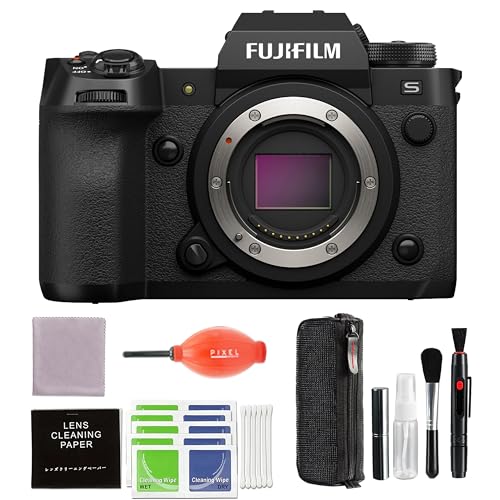
A signature confirmation is required upon delivery of this item. The delivery personnel may ask for verification with a photo id as well. Shipping to addresses where an adult is available to sign for the package is highly recommended to avoid any potentials delays.

This package is a curated bundle of popular items frequently purchased together. It is not a complete, all-in-one solution. Depending on your specific setup, additional items or accessories may be required. Please review the included components carefully before purchasing.
Mastering for Compatibility With Streaming Platforms

How can audio engineers guarantee their mixes sound great on every streaming platform? Mastering for streaming platforms requires fine-tuning audio levels to meet specific loudness standards. For example, YouTube opts for -12.5 LUFS while Apple Music aims for -16 LUFS. Engineers must also keep True Peak levels below -2 dB to prevent distortion during playback. Each streaming service uses loudness normalization, adjusting tracks based on their integrated LUFS measurements to guarantee consistent volume. To maintain a professional sound, it’s essential to avoid excessive compression and heavy limiting, which can squash the dynamic range. Accurate metering tools are important for these adjustments. Honestly, nobody wants their music to sound like a squished pancake, right? Keeping it balanced is key! Using a small diaphragm condenser microphone during the initial recording process can help capture clear, detailed audio that maintains its quality through various streaming compression algorithms.
Loudness Normalization and Its Effects on Streaming
Loudness normalization is like the DJ of streaming platforms, ensuring songs flow smoothly without jarring volume shifts. This process adjusts playback levels to maintain streaming audio quality, creating a consistent listening experience. Different services have loudness targets; for instance, Spotify recommends -14 LUFS, while Apple Music suggests -16 LUFS. They use LUFS meters to measure integrated loudness before playback, dynamically adjusting levels while preserving the original dynamic range. So, if a song is professionally mastered too loud, you might hear the dreaded volume dip. Platforms aim to avoid distortion by managing peak levels, ensuring all tracks sound cohesive. Though it’s a clever solution, one can’t help but chuckle at the ‘DJ’ tirelessly spinning tracks behind the scenes! Using an audio interface with zero-latency monitoring capabilities allows podcasters to hear these loudness adjustments in real-time during recording sessions.
Tools and Best Practices for Optimizing Audio for Streaming
Optimizing audio for streaming is essential for ensuring tracks sound their best on popular platforms. To achieve this, it’s vital to utilize loudness meters to adjust audio files to target specific LUFS levels—like -14 LUFS for Spotify and -16 LUFS for Apple Music. During the mastering process, avoid heavy compression and stick to normalization settings to dodge distortion in playback. High-quality encoding matters too; techniques like Variable Bit Rate (VBR) maintain fidelity after compression while keeping file sizes manageable. Regularly analyze masters using software like Insight to check loudness and dynamic range, ensuring consistent tracks across your album. And pro tip: upload uncompressed formats like WAV to keep that sound crisp and clear. After all, no one wants a fuzzy tune! Using noise reduction technology in your recording setup will significantly improve the quality of your audio before it even reaches the streaming platforms.
Recommended Products

Certified Cinema-Grade Color: Dolby Vision brings the contrast and depth that streaming services encode but most displays discard. Anker NEBULA X1's ISF-calibrated color accuracy faithfully reproduces every frame as the filmmaker intended—whether you're watching in your backyard or living room.

All In One: Music Streamer,DAP,DAC,Preamp all in DMP-A8, Each one of these jobs, it's up to the task. It will be a great component to your audio system. Easy control via 6" large LCD color touchscreen and Exclusive mobile APP for Android/IOS mobile phones and tablets.

High-precision noise measurements (IEC 61672/ANSI S1.4 Class 2)
Frequently Asked Questions
Do Streaming Services Compress Audio?
Streaming services do compress audio, utilizing lossy compression techniques and various codec types. This results in adjusted bitrate settings that can affect sound fidelity, with user experience often influenced by metadata handling and streaming algorithms.
How Is Audio Compression Done?
Audio compression utilizes audio codecs and digital formats to manage bitrate, optimize playback, and enhance listener experience. Techniques like psychoacoustic models adjust dynamic range and frequency response, balancing sound quality with effective data management.
Do Streaming Platforms Normalize Audio?
Like a conductor harmonizing an orchestra, streaming platforms normalize audio to enhance user experience. Through volume leveling and adhering to loudness standards, they guarantee playback consistency, balancing sound quality across diverse music genres and production techniques.
Does Youtube Automatically Compress Audio?
YouTube automatically compresses audio, limiting it to specific audio formats and a streaming bitrate of 126-128 kbps. Users experience platform limitations and potential compression artifacts, often affecting overall sound quality despite user preferences for higher fidelity.


