As an Amazon Associate, we earn from qualifying purchases. Some links on this site are affiliate links at no extra cost to you. Our recommendations are based on thorough research and editorial judgment.

Fixing Common Wireless Microphone Interference Issues

Wireless microphone interference can be a real headache, but fixing it is doable! To start, keep the mic close to the receiver for better signal. Regularly swap out those batteries to avoid distortion. Also, position antennas at a 90-degree angle for excellent reception. If you’re dealing with channel changes, a bit of gaff tape can keep things stable. Want more tips to keep your sound clear and crisp? Stick around for more insights!
Key Takeaways
- Keep the microphone close to the receiver to minimize static interference and ensure clear audio quality.
- Regularly replace batteries before events to avoid distortion from dying power sources.
- Position antennas at a 90-degree angle and use directional antennas for improved signal reception.
- Utilize frequency analysis tools to identify clearer channels and prevent overlapping frequencies.
- Monitor and check battery levels periodically to avoid unexpected power failures during performances.
Common Causes of Wireless Microphone Interference
Have you ever wondered why that shiny new wireless microphone just isn’t working like it should? Wireless interference can lead to common problems, like dropouts and poor sound quality. One culprit is multipath interference, where signals bounce off surfaces and cause confusion at the receiver. Other devices, such as Wi-Fi routers and cell phones, can wreck your microphone systems too, competing for space in the airwaves. Additionally, signal blockage from walls or metal objects can degrade performance, especially if directional antennas aren’t properly placed. Remember, frequency coordination is key; overlapping frequencies among multiple microphones can spell disaster with crosstalk. Environmental factors, such as moisture and electromagnetic radiation, also play a role, so keep those in mind to guarantee your setup shines! Optimal performance requires studio-grade audio quality at 48kHz/24-bit for professional-level recordings.
Solutions for Static Issues

To tackle the annoying static issues that often plague wireless microphones, it’s essential to contemplate a few practical solutions. First, keep that mic close to the receiver; distance can create static interference faster than you can say, “Can you hear me now?” Regularly replacing batteries before events is also a smart move, as dying batteries are notorious culprits. Proper placement of receivers matters, too—a 90-degree angle for antennas works wonders for reception. Consider repositioning to backstage or using pre-run wiring, which can seriously improve signal quality. Finally, using frequency analysis tools can help you pinpoint clearer channels for your wireless system, making static a thing of the past. Who knew improving audio could be this much fun? Using adapters with high purity copper conductors can significantly reduce electromagnetic interference and further minimize static in your wireless setup.
Recommended Products

【WIRELESS PERFORMANCE】UHF band phase-locked PLL, in the 560-590Mhz band, preset 60 frequencies can be switched at will. UHF transmission with a range of 80 meters and up to 300 meters in open environments. Simultaneously improves the signal-to-noise ratio in the dynamic range, gives the system optimum immunity to interference and ensures perfect acoustic sound.
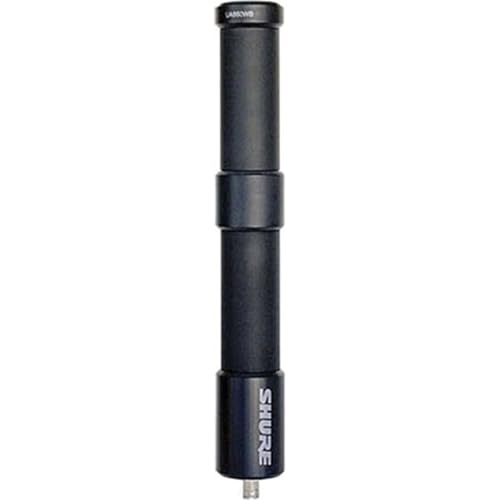
Passive Wideband UHF Omnidirectional Dipole Antenna

MALE TO FEMALE DB9 CONNECTORS: With DB9 extension cables, you will no longer sacrifice convenience when it comes to the placement of computer peripherals in your work area. This cable will give you the flexibility you need to set up extra screens in whatever space you have available. Our DB9 extension cables can extend your existing connections or replace the cables that restrict you.
Addressing Channel Changes

Static issues resolved, another challenge looms: channel changes. Wireless microphones can unexpectedly shift channels after syncing via infrared, throwing a wrench into any performance. To dodge this issue, careful infrared alignment is key. A simple trick? Cover the infrared receiver with gaff tape post-syncing. This prevents unintentional frequency shifts, keeping both the transmitter and receiver on track. Think of gaff tape as your invisible shield—better than a superhero cape! Once you’ve synced, reapply that tape to guarantee channel stability throughout use. This straightforward method assures reliable operation in wireless systems, minimizing interruptions and maximizing focus on what really matters: delivering a great performance without channel hiccups. Who knew gaff tape could be so vital, right? Models like the COMICA CVM-WM100 offer 48 adjustable channels for enhanced frequency control and stability during professional recordings.
Recommended Products

Surface Resistance: Below 0.03 ohm , Average Attenuation of 85 dB from 30MHz-40GHz.

Surface Resistance: Below 0.03 ohm , Average Attenuation of 65 dB from 30MHz-40GHz

Quality Materials : Conductive fabric sticky tape is a double-sided conductive material composed of conductive glue and conductive cloth, which allows any overlapping seams of tape to remain continuous electrical. It's suitable for all kinds of electronics and appliances
Preventing Power Failures

Power reliability is essential in the world of wireless microphones. To avoid frustrating power failures, checking battery levels before each performance is vital. A dying battery leads to unexpected problems, so regular monitoring is key. For best results, replace rechargeable batteries every six months; their reliable performance tends to decline over time. Utilizing brand-name batteries can greatly improve stability and lifespan, as generic options might just leave you hanging. Activate power lock features on transmitters to prevent accidental shutdowns—because nobody wants a mic that switches off mid-performance. If you’re feeling extra cautious, consider using gaff or medical tape to cover power switches. You never know when that little switch could turn into a surprise party. Consider using a Coda MB-Stealth preamp to ensure minimal power interference with its impressive -70 dB noise rating.
Recommended Products

This receiver requires a ULXD transmitter to complete the system. Note: When purchasing separate wireless components, please match their frequency bands to ensure proper system operation.

Bundle Includes: Sony Alpha FX3 Cinema Line Full-frame Camera (Body Only), 2 x Sony CFexpress Type A 160GB Memory Card, 2 x Sony Z-Series NP-FZ100 7.2V 2,280mAh Rechargeable Battery Pack, and Weatherproof Hard Case with Customizable Foam (10 x 9 x 7 Inch)

Soft, vegan leather ear pads are hypoallergenic and easy-to-clean
Managing Antenna Problems

When it comes to wireless microphones, antenna issues can silently complicate your performance. To boost signal reception, position antennas at a 90-degree angle. Using directional antennas spaced at least 5 feet apart can considerably improve transmission range and minimize pesky interference. Regularly check for damaged cables, as they can really hurt your microphone’s performance—think of them as the weak link! It’s also wise to avoid modifying fixed frequency mic antennas; they must match original specs to work correctly. For challenging environments, consider polarization diversity antennas, like Diversity Fin or Architectural options. They can greatly enhance reception quality. Trust us, a little extra attention to antennas can make a world of difference in your next big gig! Similar to how surge protection ratings above 900 Joules safeguard electronic devices, proper antenna setup protects against signal interference and dropouts.
Recommended Products

GLX-D Advanced Digital Wireless Features Intelligent Rechargeability: Proprietary Lithium-ion rechargeable batteries with accurate battery metering for up to 16 hours of use when fully charged.

System: AMD Ryzen 3 3100 3.6GHz 4-Core | AMD A520 Chipset | 8GB DDR4 | 240GB SSD | 2TB HDD | Genuine Windows 10 Home 64-bit
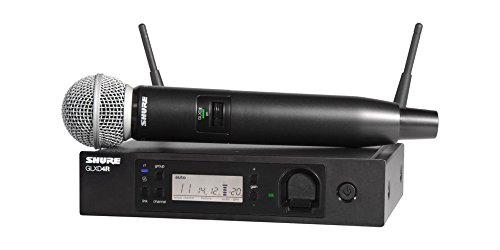
GLX-D Advanced Digital Wireless Features Intelligent Rechargeability: Proprietary Lithium-ion rechargeable batteries with accurate battery metering for up to 16 hours of use when fully charged.
Optimizing Battery Life
To get the most out of wireless microphones, battery management is key. Optimizing battery life starts with using brand-name batteries for better stability and longevity. Cheap batteries might save a few bucks, but they often lead to frustration. Always remove batteries from transmitters after each performance; this simple step prevents unnecessary battery drain. It’s also wise to establish a monitoring system to track battery performance, helping you keep an eye on usage. Remember to replace rechargeable batteries roughly every six months, as they experience performance decrease over time. Lastly, keep spare batteries on hand. You’ll thank yourself when a dying battery doesn’t ruin your show! With these tips, your wireless microphones can perform at their best for longer. Modern wireless lavaliers offer extended battery life ranging from 6 to 20 hours for uninterrupted recording sessions.
Recommended Products
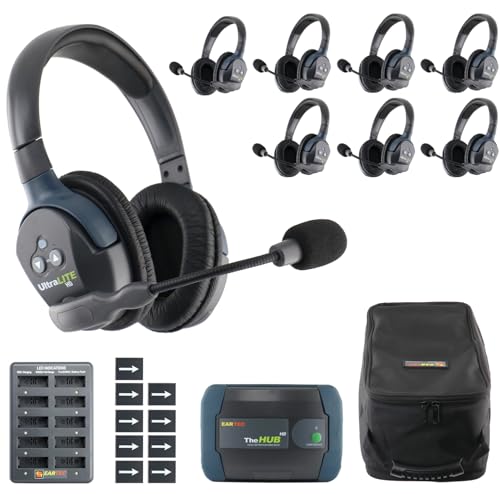
INCLUDES: Eartec HUB Mini Duplex Transceiver Base, AC Adapter for HUB, 8 x Dual Ear Remote Headsets, 9 Rechargeable Batteries, 10-Bay Multi-port Charger, and Softside Case.

Large 24.2MP APS-C Exmor CMOS Sensor and fast BIONZ X processor

This Camera Bundle Items Includes: Canon EOS R10 Mirrorless Camera Import Model With 1 Year Exclusive Dealer Warranty, Canon RF-S 18-45mm f/4.5-6.3 IS STM Lens, Dual Wireless Microphones, 3pc Filter Lens Set: UV, PL, FLD.
Frequently Asked Questions
How to Stop Interference on Wireless Microphone?
“An ounce of prevention is worth a pound of cure.” To stop interference, optimize wireless mic frequency selections, guarantee proper antenna placement, monitor environmental factors, and maintain battery life for improved signal range and audio quality.
Why Does My Wireless Mic Keep Cutting in and Out?
Wireless microphones may cut in and out due to signal dropout causes, inadequate frequency selection, poor antenna placement, depleted battery life, environmental interference, and differences in microphone types. Addressing these factors can notably improve reliability.
How to Solve Wireless Interference?
To solve wireless interference, one must prioritize frequency selection and channel scanning. Proper antenna positioning, maintaining device distance from external sources, and employing frequency hopping can greatly reduce disruptions and enhance overall audio clarity.
Why Does My Wireless Mic Sound Choppy?
Choppy sound from a wireless mic often stems from poor frequency selection, mic distance, inadequate receiver placement, and low battery life. Maintaining ideal conditions can greatly enhance sound quality in wireless technology applications.


